What else can it analyze
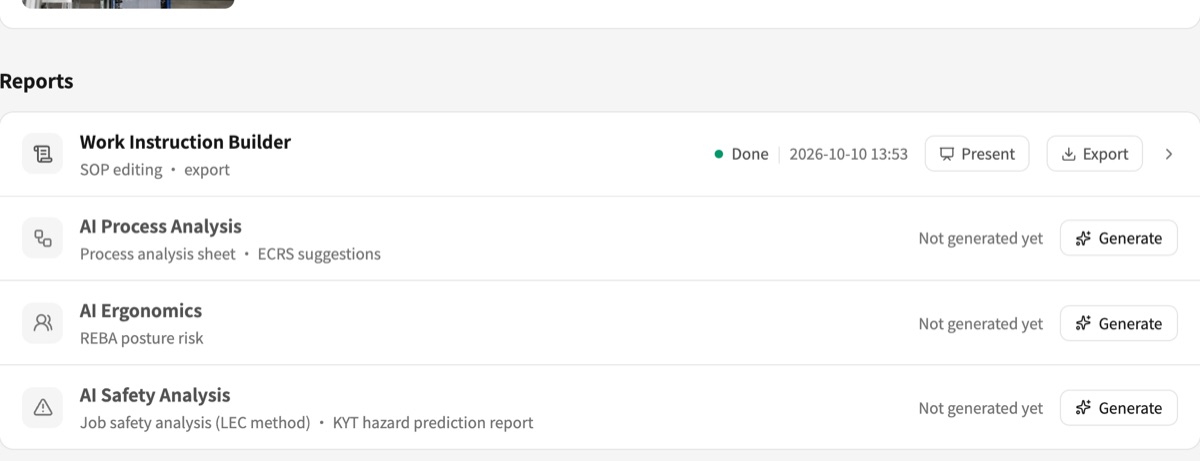
Split the video once; process, safety and ergonomic analyses follow from the same steps, no re-upload.
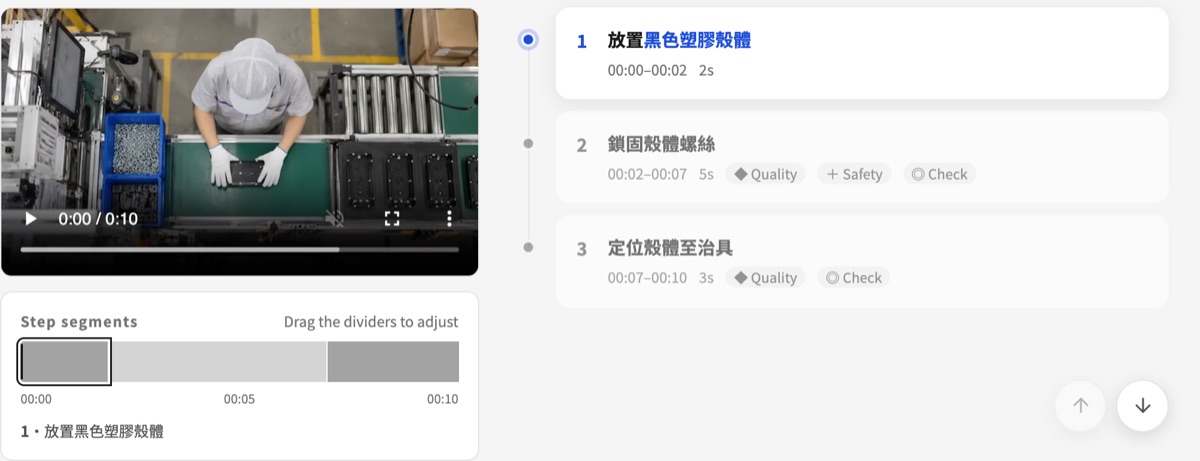
AI splits the video into work steps
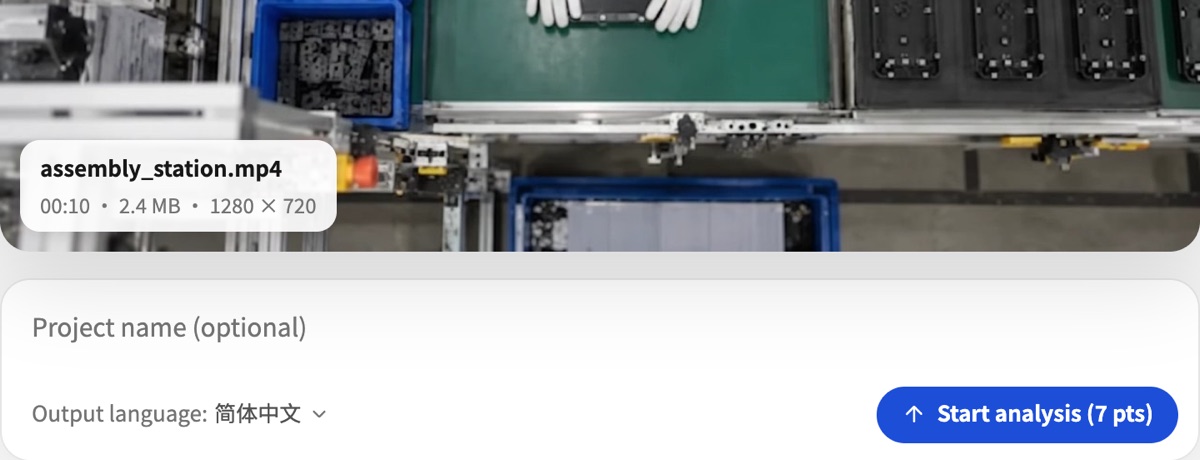
- Upload or record: MP4 / MOV up to 15 min each, or record right in the browser.
- Automatic split: AI finds where each motion starts and ends, then builds a step timeline with descriptions.
- Fine-tune: Drag boundaries, merge, split or delete steps; reset to the original AI split in one click.
- Output language: Steps and suggestions can be written in Traditional Chinese, Simplified Chinese or English.
… pts per video up to … min
Buy points
Points are valid for one year from the date they are credited. Buy again anytime; points add up in the same account.
Gongxu AI analyzes work methods and workstation design and turns them into standard documents and improvement suggestions. It does not identify individuals, and it is not designed for, and must not be used for, evaluating, rating or making decisions about any employee.
How points are spent
Every AI action shows its cost before it starts and runs only after you confirm; failures are refunded automatically.
- Video analysis… pts
- Work instructions… pts each
- Process analysis… pts each
- Safety analysis… pts each
- Ergonomics… pts per video
- AI split / merge… pts each
A full set for one video up to … min takes about … pts.
How it works
- 01
Upload a work video
Film the job on a phone and drop it in; the steps are split and the work instruction written for you.
- 02
Check the steps
If a step is cut wrong, drag its boundary, merge or split it; every other report follows the corrected steps.
- 03
Generate and export
Need process, safety or ergonomic analysis? One click on the task overview; what you preview is the export, download Excel / PDF for the floor.